|
Linksys WRT54G WRT54GS, WRT54GL WRTSL54GS
1. เอา UPnP ออกจากโปรแกรม Bit : Preferences -> advanced -> Connections
2. add Program + Port ที่ Firewall (หากปิดอยู่ก้อไม่ต้องสนใจคับ)
สมมุติ ว่าใน โปรแกรม Bit ของเรา คือ port 12345
เข้า http://192.168.1.1/
username : admin
password : admin
หรือ
username : true
password : true
หรือ
username : admin
password : TTT
หรือ
username : admin
password : tot
ที่เมนูด้านบน Setup Wireless Security .....
กดเข้าไปที่ Security
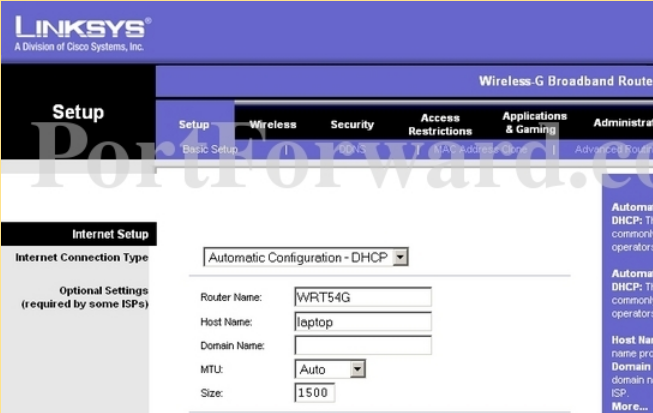
ในส่วนของ Firewall
ให้เอา ติ๊กหน้า Block Anonymous Internet Requests ออก
เเล้วกดปุ่ม Save Settings
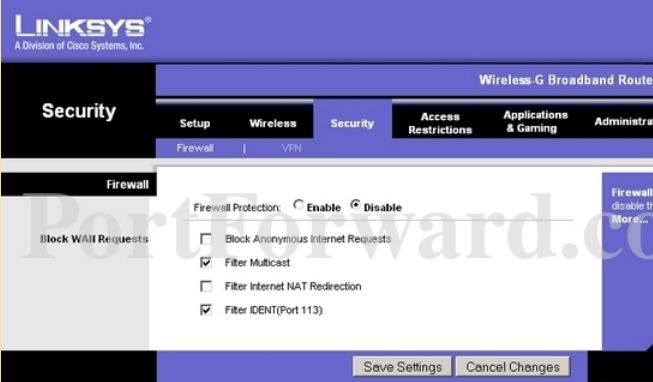
กดที่เมนู Applications & Gaming ด้านบน (เเถวเดียวกับ Security)
จะเห็น เมนู Port Range Forwarding ใต้ Applications & Gaming
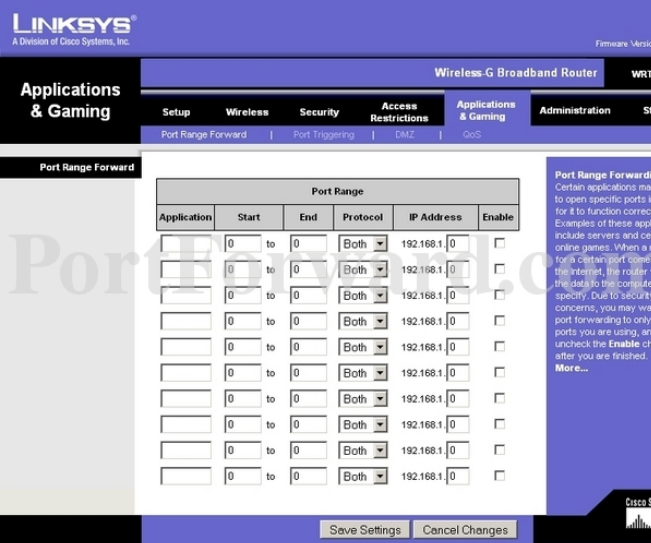
1. Application : จะใส่ว่าอะไรก็ได้ ที่บ่งบอกว่าเราใช้รายการนี้กับโปรเเกรมอะไร
2. Start : 12000 (โปรเเกรมบิต Port : 12345)
3. End : 12500 (โปรเเกรมบิต Port : 12345)
4. Protocol : Both
5. IP Address : ใส่เลข LAN IP ของเราลงไป ดูวิธีด้านล่าง
6. Enabled : ติ๊กหลังรายการที่เราทำไว้ครับ
กดปุ่ม Save Settings เป็นอันเสร็จครับ
วิธีหา ip address ของเครื่องเราคับ
ทำได้ โดย กดปุ่ม start (windows) กดที่ run
พิม cmd กด enter
มาโผล่ที่หน้าต่าง ms-dos
พิม ipconfig
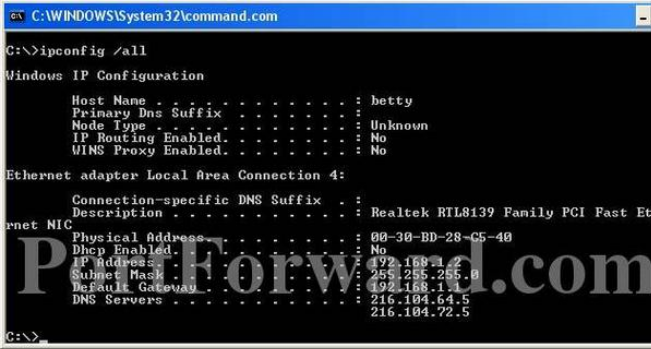
ดูที่ ip address คับ 192.168.1.x (ตามตัวอย่าง x เป็นเลข 2)
ขอบคุณ http://a-forwardport.blogspot.com/2009/02/forward-port-linksys-wrt54g.html
http://portforward.com
|